EPOMAKER Review: Are EPOMAKER Keyboards Worth Buying?
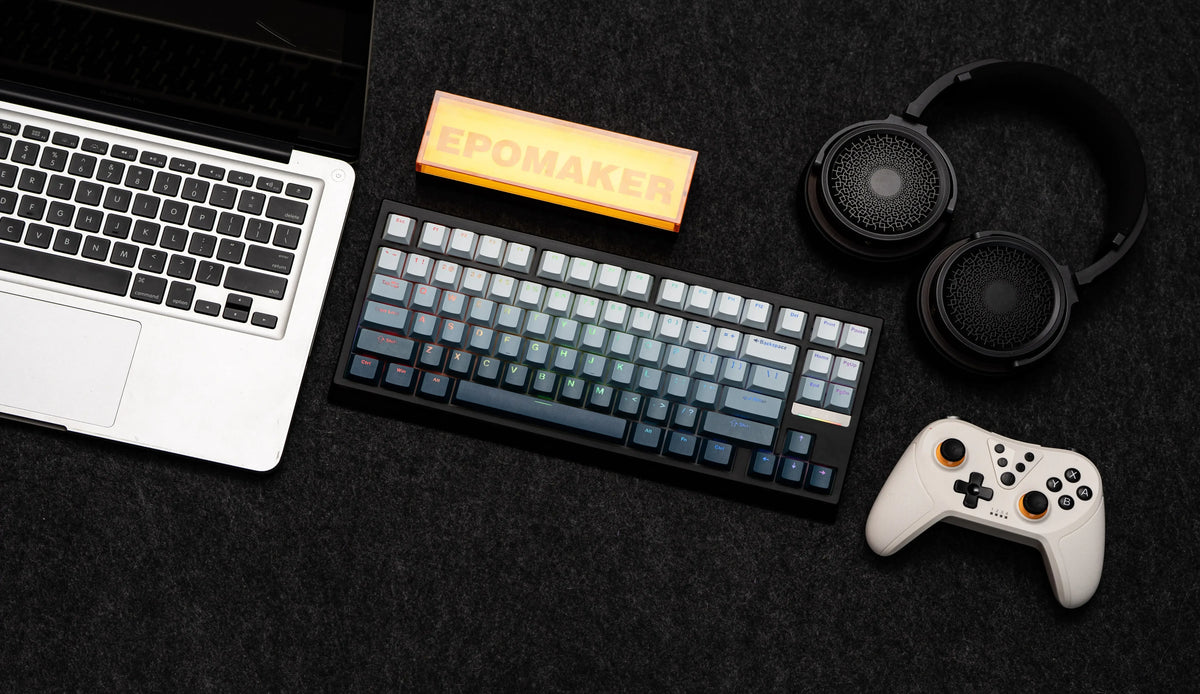
EPOMAKER has become one of the more recognizable names in the mechanical keyboard
market, especially among buyers looking for customizable keyboards without immediately
moving into expensive custom builds. The brand now covers a surprisingly broad range:
traditional mechanical keyboards, Hall Effect gaming boards, low-profile keyboards,
compact layouts, larger productivity boards, switches, keycaps, and accessories.
But is EPOMAKER actually worth buying in 2026? The answer depends heavily on the
specific keyboard. In this EPOMAKER review, we break down the current lineup, layouts,
Hall Effect options, customization features, pricing, warranty, returns, shipping,
and which type of U.S. buyer is most likely to get good value from the brand.
This article contains an affiliate link. If you purchase through the link,
we may earn a commission at no additional cost to you.
Quick Verdict
EPOMAKER is a strong option for buyers who want a wide selection of
customizable mechanical keyboards at competitive prices.
Gamers, programmers, office users, first-time mechanical keyboard buyers,
and keyboard enthusiasts.
Product variety. EPOMAKER offers multiple layouts, switch technologies,
mounting styles, and price points.
Specifications vary considerably between models, so the brand name alone
is not enough to determine which keyboard is right for you.
Look at the HE series if adjustable actuation and Hall Effect technology
are priorities.
Consider TH, Galaxy, or larger 96%/100% models if you need more conventional
functionality.
What Is EPOMAKER?
EPOMAKER is a keyboard and gaming-peripherals brand focused primarily on mechanical
keyboards, switches, keycaps, and accessories. Its current catalog has expanded beyond
basic mechanical boards into Hall Effect gaming keyboards, low-profile designs, wireless
keyboards, and more enthusiast-oriented products.
One of the interesting things about EPOMAKER is how the company organizes its current
keyboards. Instead of offering one generic mechanical keyboard platform, it divides
products into families such as TH, HE, RT, Luma, Galaxy, Epoch, Maker, and Lab.
That makes EPOMAKER attractive to shoppers who know they want a mechanical keyboard
but are still deciding what type of keyboard fits their desk, gaming setup, or workflow.
What Can You Buy From EPOMAKER?
EPOMAKER’s current store is much broader than a simple keyboard retailer. Depending
on the current lineup, shoppers can find:
- Mechanical keyboards
- Hall Effect gaming keyboards
- Low-profile keyboards
- Compact 60%, 65%, 70% and 75% layouts
- 80% / TKL-style keyboards
- 96% keyboards
- 100% full-size keyboards
- Mechanical and Hall Effect switches
- Keycap sets
- Cables, wrist rests and other accessories
- Gaming mice and headsets
This breadth is one of EPOMAKER’s biggest advantages. You can start with a relatively
affordable keyboard and later change switches, keycaps, cables, or other components
instead of replacing your entire desk setup.
EPOMAKER Keyboard Series Compared
The easiest way to understand EPOMAKER is to look at the role each major series plays.
The exact specifications can change by model, so use this as a starting point rather
than a substitute for checking the individual product page.
| Series | Best For | Typical Focus | Why Consider It? |
|---|---|---|---|
| TH | First keyboard, office, general use | Sound and versatility | Accessible layouts and customization features |
| HE | Gaming | Hall Effect magnetic switching | Adjustable actuation and rapid-trigger features on compatible models |
| RT | Desk setups and everyday use | Retro styling and sound | Distinctive design combined with modern keyboard features |
| Luma | Low-profile users and portability | Slim, compact designs | Useful if you prefer a lower typing profile |
| Galaxy | Productivity and enthusiasts | Aluminum-oriented construction | Premium-feeling layouts and customization |
| Maker | Enthusiasts and customization | DIY-oriented designs | Good fit for buyers who enjoy modifying their setup |
| Epoch | Higher-end enthusiasts | Flagship positioning | Designed for buyers looking beyond entry-level boards |
EPOMAKER TH Series: A Good Starting Point?
For many first-time buyers, the TH series is one of the most approachable parts of the
EPOMAKER lineup. Current TH models cover several useful layouts, including 96% and
full-size options.
Current examples include the TH99 PRO, TH108, and TH108 V2 PRO. The official series
page lists these models with gasket mounting and hot-swap functionality, while prices
currently start in the roughly $80 range depending on model and configuration.
A 96% or full-size TH keyboard can be particularly practical if you work with spreadsheets,
accounting software, programming tools, or other applications where dedicated navigation
and numpad keys are useful.
If this is your first mechanical keyboard and you do not have a strong preference for
an unusual layout, start by comparing the TH models with the 75% alternatives. The layout
decision will probably matter more than RGB lighting or cosmetic details.
EPOMAKER HE Series: Better for Gaming?
If gaming is your priority, EPOMAKER’s HE series deserves special attention. Hall Effect
keyboards use magnetic sensing rather than conventional physical switch contacts, opening
the door to adjustable actuation and rapid-trigger features on compatible models.
One current example is the EPOMAKER HE80, a wired 75% keyboard listed with Hall Effect
magnetic switches, 0.02 mm adjustable trigger and reset travel, SOCD/DKS functionality,
and an 8000 Hz polling rate.
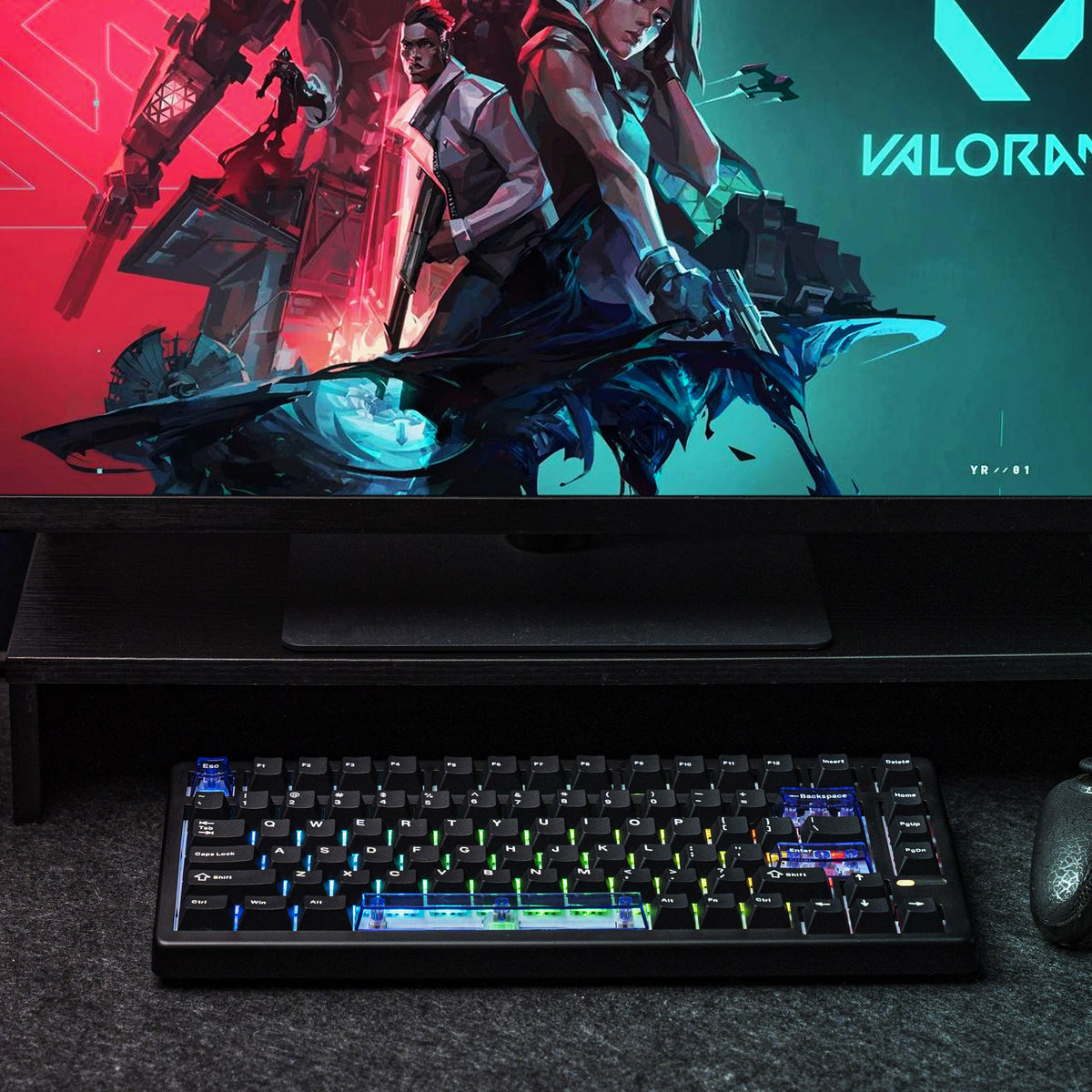
adjustable actuation and rapid-trigger functionality.
The important point is that not every EPOMAKER gaming keyboard has the same feature set.
If you are buying specifically for competitive FPS gaming, compare the exact model’s
actuation range, polling rate, connection type, software, and rapid-trigger implementation.
EPOMAKER Luma Series: Should You Go Low Profile?
The Luma family is aimed at shoppers who want a thinner and more compact keyboard
experience. It is particularly interesting for people moving between workspaces or
anyone who prefers the feel and appearance of low-profile keyboards.
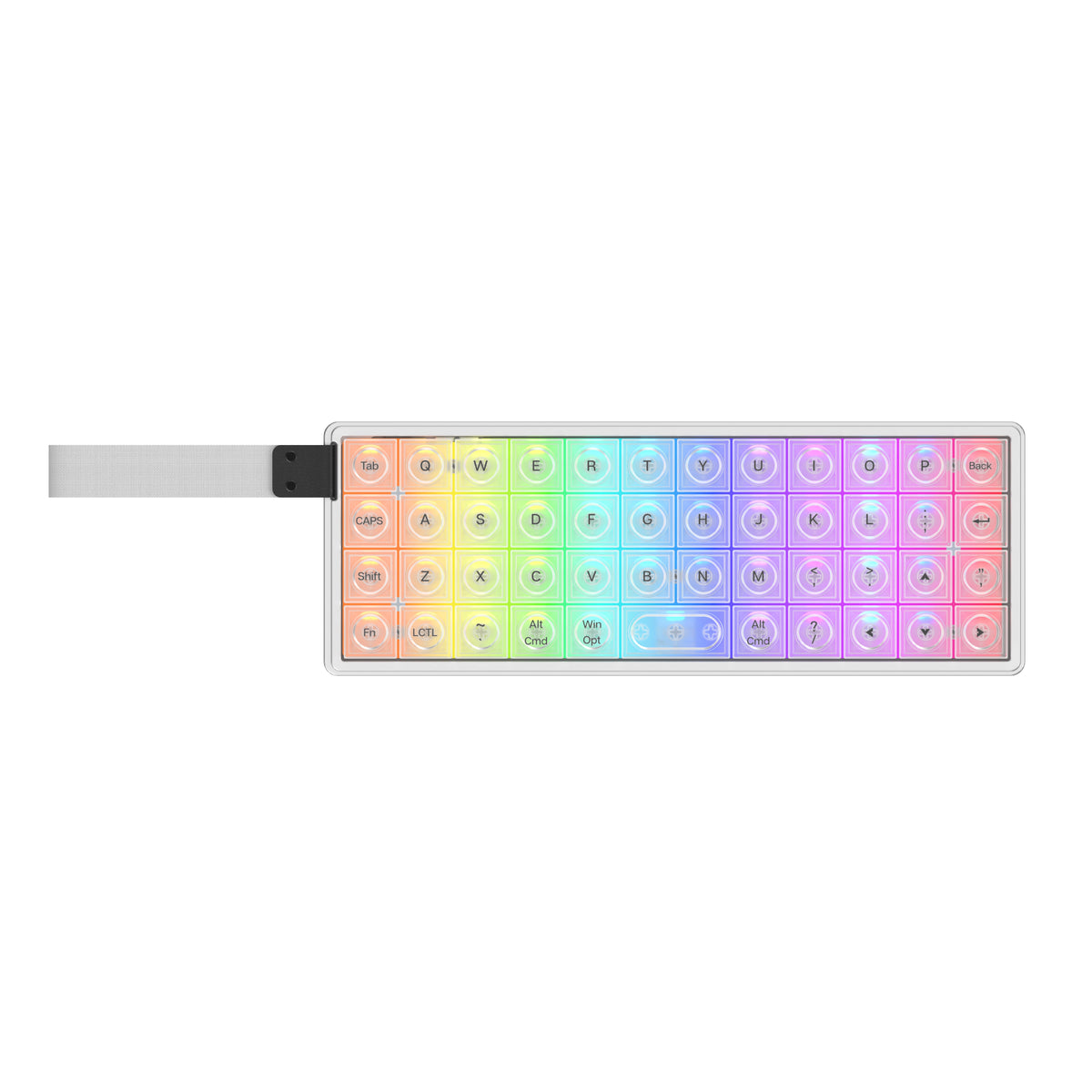
The LUMA40 is a particularly unusual example. It combines a 40% ortholinear layout,
CNC aluminum construction, tri-mode connectivity, and low-profile switches. The current
official listing shows it around the $116 mark.
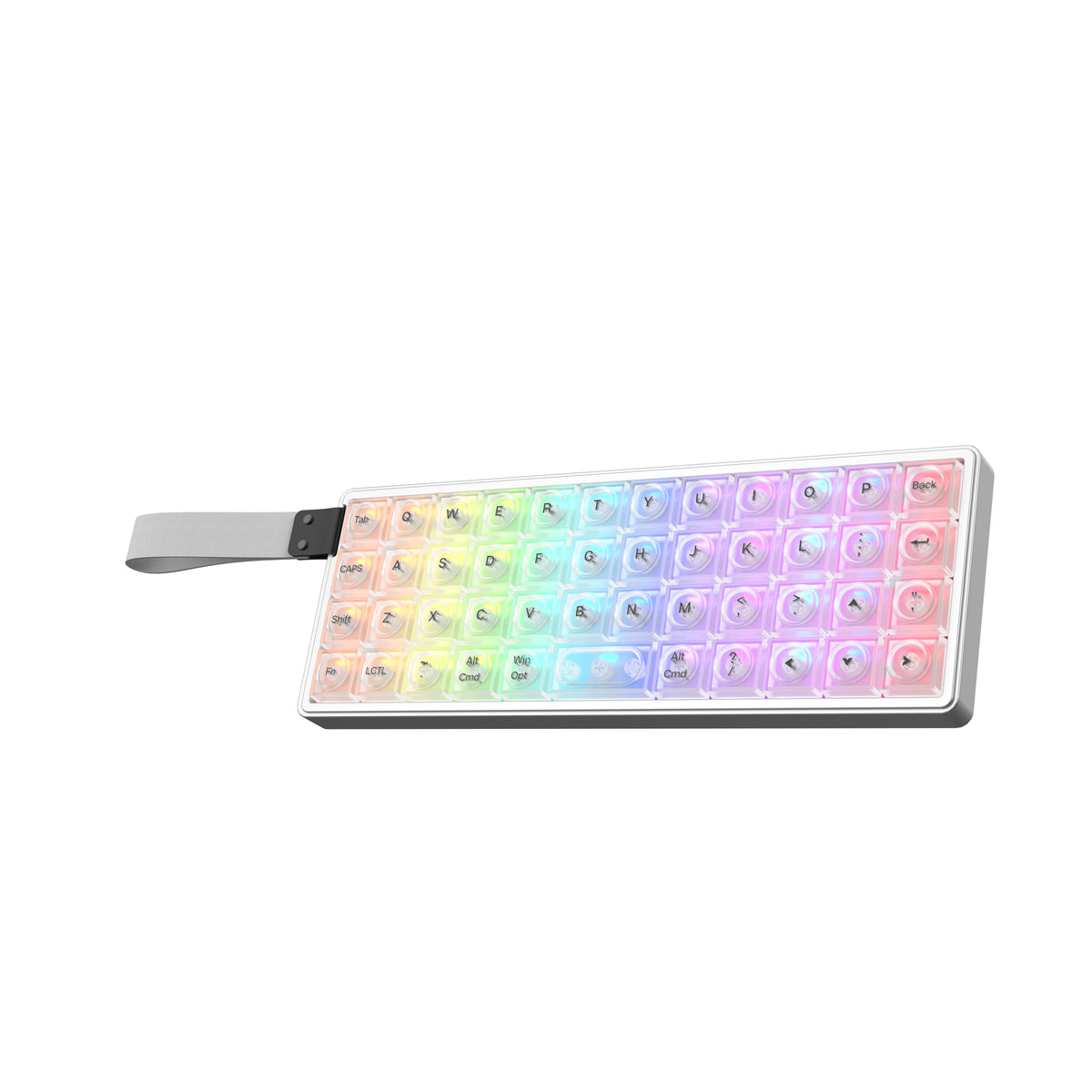
A 40% layout is not for everyone. If you regularly use function keys, navigation keys,
or a conventional number row, the learning curve can be significant. For most buyers,
a 75%, 96%, or 100% keyboard will be easier to transition to.
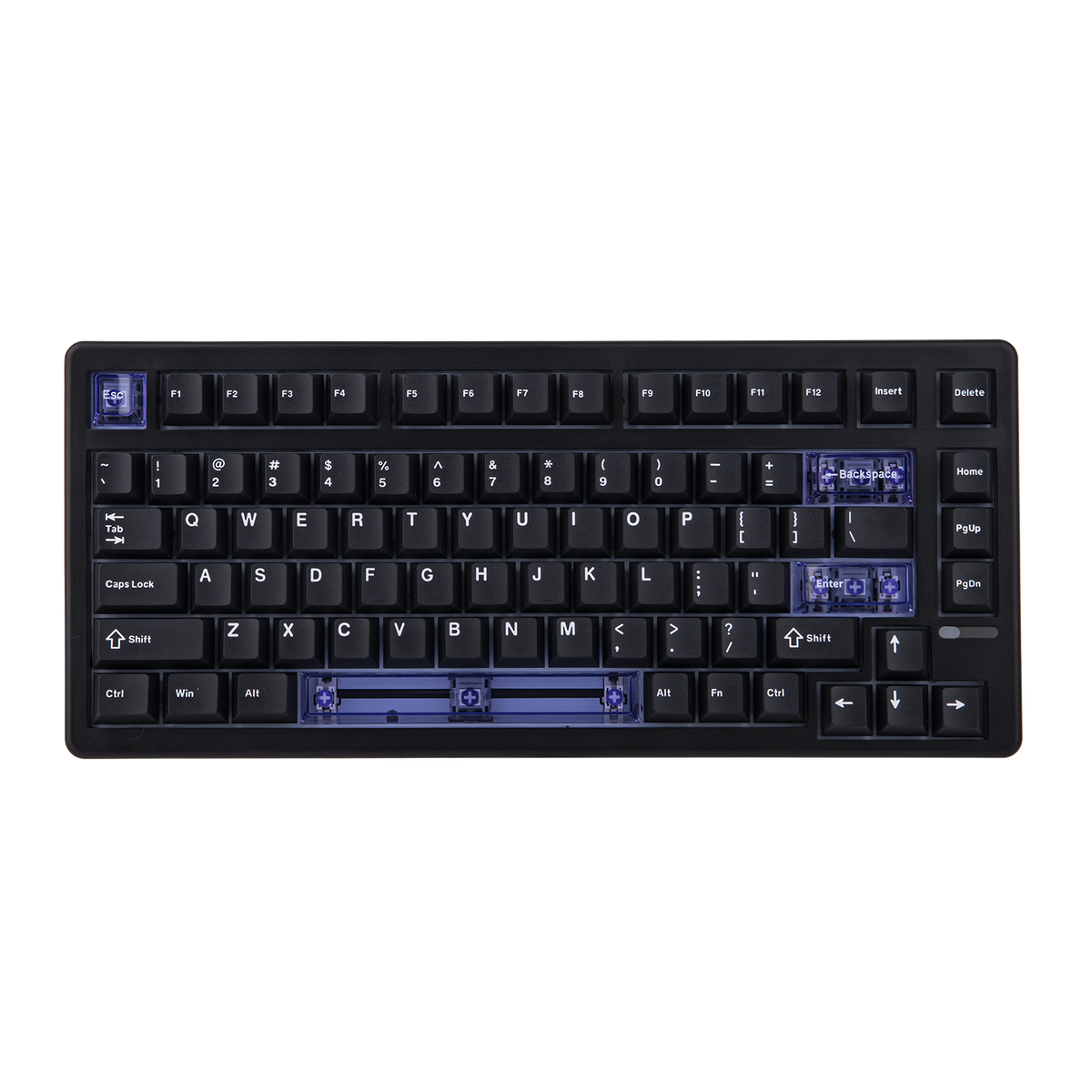
Why EPOMAKER’s 75% Keyboards Are Worth Considering
The 75% layout is one of the most practical compromises in the mechanical keyboard
market. It removes the numpad and some less frequently used keys while retaining the
function row and arrow keys.
EPOMAKER itself describes the 75% layout as a balance between compactness and functionality,
and its current catalog includes multiple 75% models across different series.
For a U.S. buyer who wants one keyboard for gaming, coding, browsing, and everyday work,
a good 75% board may be the safest starting point.
If you do not need a numpad and do not specifically want an ultra-compact board,
start by comparing EPOMAKER’s 75% keyboards.
EPOMAKER Features That Actually Matter
1. Hot-Swappable Switches
Hot-swap functionality allows compatible switches to be replaced without soldering.
That can be a major advantage for beginners because you can experiment with different
switch feels later instead of committing to one switch permanently.
However, always verify the exact product specification. Hot-swap compatibility and
switch technology are model-specific.
2. QMK and VIA Support
Programmability can make a major difference for advanced users. Compatible EPOMAKER
keyboards can provide VIA or QMK functionality for remapping keys, creating layers,
and configuring macros.
If you are buying primarily for coding or productivity, this feature can be more useful
than RGB lighting because it allows the keyboard to adapt to your workflow.
3. Wireless Connectivity
Many EPOMAKER models offer some combination of USB, Bluetooth, and 2.4 GHz wireless.
This is useful if you move between a desktop, laptop, and tablet.
Do not assume every keyboard has tri-mode connectivity. Check the product page before
buying.
4. Gasket Mounting
Gasket mounting is common throughout EPOMAKER’s lineup. In general, the design is intended
to provide a softer and more cushioned typing feel compared with a rigid mounting system.
Still, mounting style alone does not determine sound or feel. Switches, keycaps, plate
material, foam, case construction, and factory tuning all contribute to the final result.

EPOMAKER Pros and Cons
Pros
- Large selection of mechanical keyboards
- Many keyboard sizes and layouts
- Hall Effect options for gaming
- Low-profile options
- Hot-swappable models
- VIA/QMK support on compatible models
- Switches and keycaps available from the same ecosystem
- Competitive pricing across several product families
- One-year limited warranty on qualifying products
Cons
- Large catalog can make choosing difficult
- Specifications vary significantly by model
- Some products are better suited to enthusiasts than beginners
- International shipping can take longer than buying locally
- Return conditions need to be checked before ordering
- Highly compact layouts can have a learning curve
Is EPOMAKER Good for Gaming?
Yes, especially if you choose one of the brand’s Hall Effect models.
A conventional mechanical EPOMAKER keyboard is perfectly reasonable for casual gaming.
But the HE lineup is more interesting for competitive players because Hall Effect switches
can support adjustable actuation and rapid-trigger functionality.
For competitive FPS games, pay particular attention to:
- Hall Effect switch implementation
- Adjustable actuation range
- Rapid Trigger
- Polling rate
- Wired versus wireless connection
- Software and remapping support
- Keyboard layout
The HE80, for example, is currently positioned as a wired 75% gaming board with
Hall Effect magnetic switches, adjustable actuation, Rapid Trigger, SOCD/DKS,
and an 8000 Hz polling rate.
Is EPOMAKER Good for Work and Coding?
EPOMAKER can be an excellent fit for productivity, but the right layout is more important
than the brand name.
A 75% keyboard is a good compromise if you want a compact desk while keeping the function
row and arrow keys. A 96% or 100% board is better if you frequently use a numpad.
Programmers may also benefit from programmable keyboards because frequently used commands,
shortcuts, and navigation functions can be assigned to custom layers or macros on compatible
models.
If you work in a shared office, however, sound should be a major consideration. A clicky
mechanical switch can be much more noticeable than a silent or dampened configuration.
EPOMAKER Pricing and Value
EPOMAKER’s current catalog covers several price levels rather than forcing buyers into
one specific budget category.
Current official listings show TH models in roughly the $80–$100 range, Galaxy models
around $99 and above, the HE80 at $69.99, and the LUMA40 at $115.99. These are examples
of current listed prices and can change with promotions, configurations, and availability.
That makes the brand’s value proposition relatively straightforward: you can spend more
when you want premium materials or advanced features, but you do not necessarily need
a high-end board to get hot-swap, gasket mounting, wireless connectivity, or programmable
features.
A $70 keyboard with the wrong layout or switch technology can be a worse purchase than
a $100 keyboard that fits your workflow perfectly.
EPOMAKER Shipping for U.S. Buyers
For U.S. customers, EPOMAKER currently advertises free shipping on U.S. in-stock products
over $69.
EPOMAKER’s current product pages state that standard shipping takes approximately
2–3 weeks for most countries, while express DHL/FedEx shipping is listed at approximately
3–10 days. Shipping rates and available options are calculated at checkout.
If you are buying a keyboard for a birthday, tournament, work deadline, or other specific
date, do not assume the advertised processing and shipping estimates guarantee a particular
arrival date.
EPOMAKER Warranty and Returns
EPOMAKER currently advertises a 30-day return period for eligible unused items in their
original packaging. The brand also advertises a one-year limited warranty against
manufacturing defects.
Its support documentation says the warranty can cover issues such as switch failure,
RGB malfunction, battery defects under normal use, USB-C problems, and Bluetooth or
2.4 GHz module faults.
Damage caused by spills, drops, unauthorized modifications, cosmetic wear, or certain
third-party modifications is not covered.
For U.S. buyers, this is a reasonably reassuring policy, but you should still keep the
original order information and packaging until you are confident the keyboard is working
correctly.
EPOMAKER’s detailed terms can contain product- and situation-specific exclusions.
Always check the current return and warranty policy before placing an order.
How to Choose the Right EPOMAKER Keyboard
- Choose the layout first.
Decide whether you want 65%, 75%, 80%, 96%, or 100%. - Decide whether you need a numpad.
If you work with spreadsheets or data entry, a 96% or full-size board may be worth
the additional desk space. - Choose mechanical or Hall Effect.
HE is particularly interesting for competitive gaming. - Check connectivity.
Confirm whether the exact model supports USB, Bluetooth, 2.4 GHz, or a combination. - Check software support.
Look for VIA, QMK, or the relevant EPOMAKER software if remapping matters. - Consider sound.
Think about whether you want thocky, creamy, tactile, clicky, or quieter operation. - Check switch compatibility.
Especially important if you plan to modify the keyboard later. - Check stock and delivery.
This matters if you need the keyboard by a specific date.
Browse Current EPOMAKER Keyboards
Prices, configurations, promotions, and availability can change.
Who Should Buy EPOMAKER?
Mechanical Keyboard Beginners
EPOMAKER is a good starting point if you want a mechanical keyboard but do not
want to build one from individual components.
Gamers
The HE lineup is particularly worth exploring if adjustable actuation and
rapid-trigger functionality are important.
Programmers
Compact layouts and programmable features can create a more personalized coding
workflow.
Office Users
Larger layouts and quieter switch configurations can work well for productivity,
especially when a numpad is useful.
Who Should Consider an Alternative?
EPOMAKER is less compelling if you simply want the easiest possible keyboard purchase
from a local U.S. retailer, want to physically test a keyboard before buying, or need
same-day pickup.
It may also be unnecessary if you only need a basic office keyboard and have no interest
in mechanical switches, customization, sound profiles, programmable keys, or gaming
features.
For enthusiast buyers, however, EPOMAKER’s breadth is a genuine advantage because it
gives you considerably more room to experiment with layouts, switches, keycaps, and
keyboard technologies.
Frequently Asked Questions About EPOMAKER
Is EPOMAKER a good keyboard brand?
EPOMAKER is worth considering if you want a broad range of mechanical keyboards,
customizable features, different layouts, and gaming-oriented technologies.
The key is to evaluate the specific model because specifications vary considerably
throughout the catalog.
Is EPOMAKER good for beginners?
Yes. EPOMAKER offers relatively accessible mechanical keyboards as well as more
advanced enthusiast and gaming models. Buyers who are new to mechanical keyboards
should generally start with a familiar 75%, 96%, or 100% layout.
Does EPOMAKER make Hall Effect keyboards?
Yes. EPOMAKER currently has an HE series using Hall Effect magnetic switches,
including models with adjustable actuation and rapid-trigger functionality.
Does EPOMAKER have hot-swappable keyboards?
Many current EPOMAKER keyboards support hot-swappable switches, but compatibility
varies by model. Always check the individual product specifications before purchasing
replacement switches.
Does EPOMAKER support QMK and VIA?
Many compatible models support VIA and QMK, but support is model-specific. Check
the exact keyboard listing before buying if programmable remapping is important.
Does EPOMAKER ship to the United States?
Yes. EPOMAKER currently ships to the U.S. and advertises free shipping on qualifying
U.S. in-stock products over $69.
Does EPOMAKER offer a warranty?
EPOMAKER currently advertises a one-year limited warranty against manufacturing
defects for qualifying products.
Does EPOMAKER have a 30-day return policy?
Yes. EPOMAKER currently advertises 30-day returns for eligible unused items in
original packaging. Some products and circumstances may be excluded, so check
the current policy before ordering.
Final Verdict: Is EPOMAKER Worth It?
EPOMAKER is a compelling choice for people who want more than a basic mechanical keyboard.
Its biggest advantage is variety: you can choose between compact keyboards, 75% layouts,
larger productivity boards, low-profile designs, Hall Effect gaming keyboards, and
enthusiast-focused products.
The brand is particularly attractive if you enjoy customizing your setup or want features
such as hot-swappable switches, wireless connectivity, programmable keys, or gaming-focused
actuation technology.
The biggest caution is that EPOMAKER is not one keyboard. The experience
can be substantially different from one model to another. Switches, layout, connectivity,
software support, mounting system, case materials, and gaming features all need to be
checked at the individual product level.
For U.S. buyers looking for a feature-rich mechanical keyboard at a competitive price,
EPOMAKER deserves a place on the shortlist. If you are unsure where to start, a good
75% model is probably the safest all-around option; competitive gamers should explore
the HE lineup, while productivity users who need a numpad should look at the 96% and
full-size options.